
The Unseen World of Web Navigation: How Semantic HTML Empowers Visually Impaired Users
Ever imagine how a visually impaired person explores a website? For millions of people, the internet is a visual medium. But for those with visual impairments, navigating a website can be a frustrating experience. This is where semantic HTML comes in, single-handedly transforming the web into a more accessible and inclusive space.

What is Semantic HTML and Why Does It Matter?
Semantic HTML is the practice of using HTML tags that convey meaning and structure to the content on a web page. Instead of relying on generic <div> and <span> tags, semantic HTML uses descriptive tags like <header>, <nav>, <main>,
<article>, <section>, <aside>, and <footer>. These tags act as signposts, providing a clear roadmap of the page’s structure and content. For a sighted user, the visual layout of a page provides this context. For a visually impaired
user relying on a screen reader, these semantic tags are essential for understanding the page’s hierarchy and navigating its content effectively.
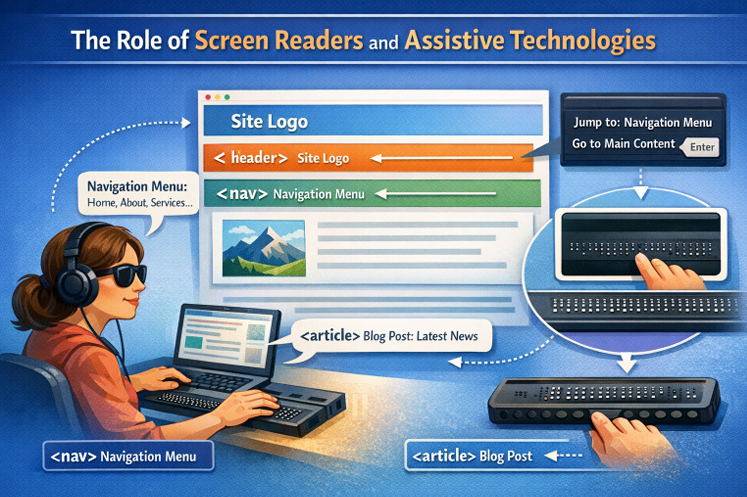
The Role of Screen Readers and Assistive Technologies
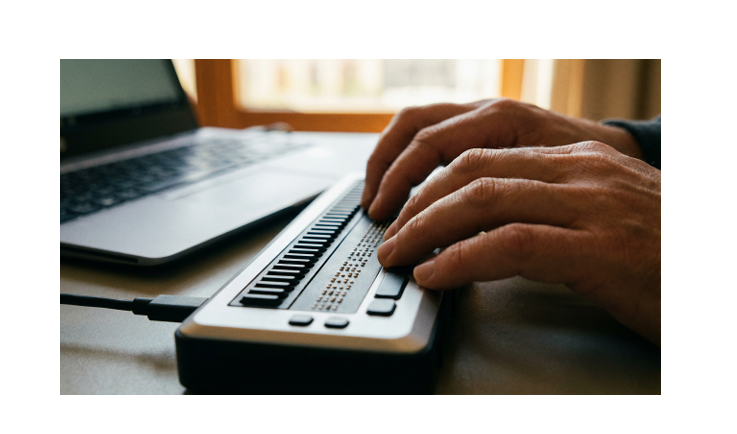
screen reader is a software application that converts text and on-screen elements into speech or braille. When a screen reader encounters a web page with semantic HTML, it can announce the different sections of the page, such as the header, navigation menu, and main content. This allows the user to quickly jump to the section they are interested in, rather than having to listen to the entire page from top to bottom. For example, the tag tells the screen reader that this is a navigation menu, and the user can choose to interact with it to find other pages on the site. The tag indicates a self-contained piece of content, like a blog post or news story, which the user can choose to read in its entirety.
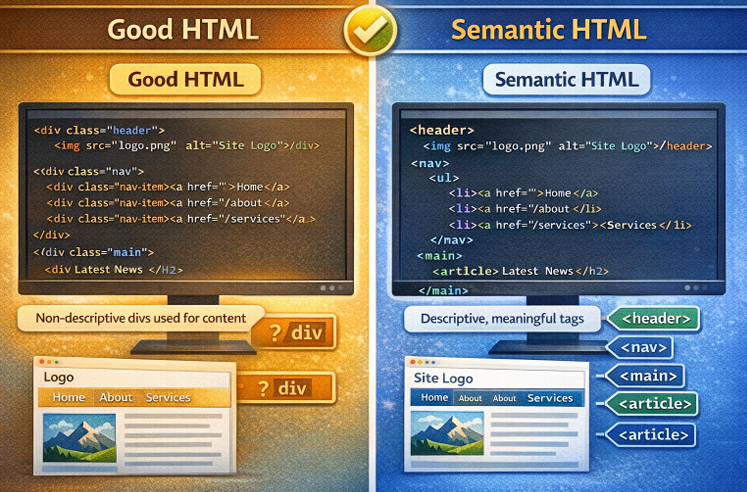
Comparison of Good HTML vs Semantic HTML
Good HTML ensures that elements are properly structured and nested so that a webpage displays correctly in the browser. However, Semantic HTML goes beyond basic structure by adding meaningful context to that layout. Instead of depending mainly on generic <div> elements with class names like “header” or “nav”, semantic HTML uses descriptive tags such as <header>, <nav>, <main>, and <article>. These elements communicate their purpose clearly, not only to developers, but also to browsers, search engines, and assistive technologies like
screen readers.
Below, we can see a side-by-side comparison of standard HTML and Semantic HTML. a very same webpage created using both standard (non semantic) HTML and semantic HTML:
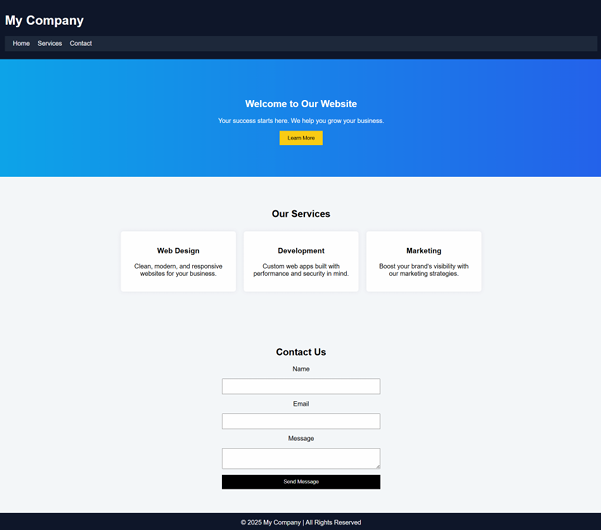
Code comparison for the webpage:
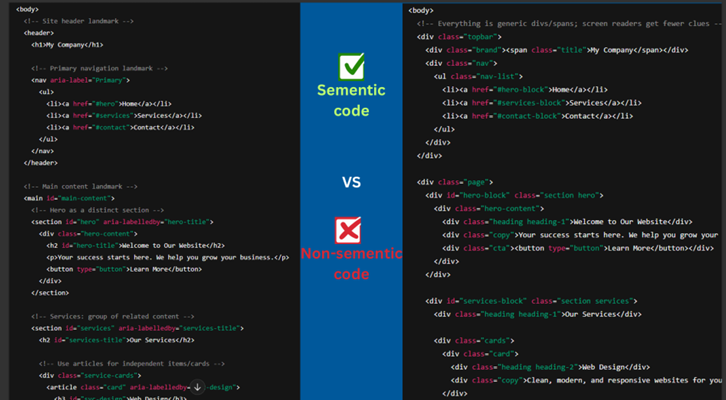
Although both versions appear visually identical, they behave very differently when explored using a screen reader such as Narrator.
Example Of Visiting The Webpage with common HTML
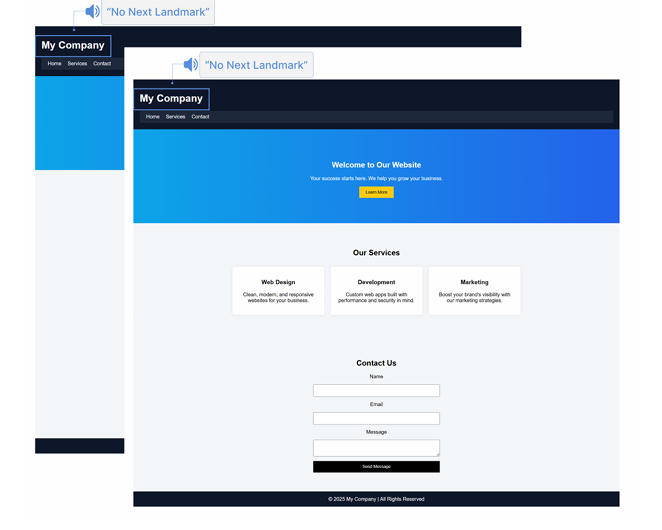
In this example, we focus primarily on scanning Headings and Landmarks on the same webpage built using non-semantic HTML.
Test: A user visits the website and presses the shortcut key (H) to navigate through headings and (D) to move between landmarks. The screen reader is unable to detect the correct heading elements and announces, “No next headings.”
Even though multiple visual headings are present on the page, they are not marked up using proper semantic heading elements. As a result, the screen reader cannot interpret them correctly. It fails to identify and announce structured elements such as “Header,” “Headings,” or “Landmark Regions” in a meaningful way.
This demonstrates how a page can look complete visually but still lack structural clarity for assistive technologies
Example Of Visiting The Webpage with semantic HTML
Now we repeat the same process—scanning headings and landmarks—on the
exact same webpage, but this time built using semantic HTML.
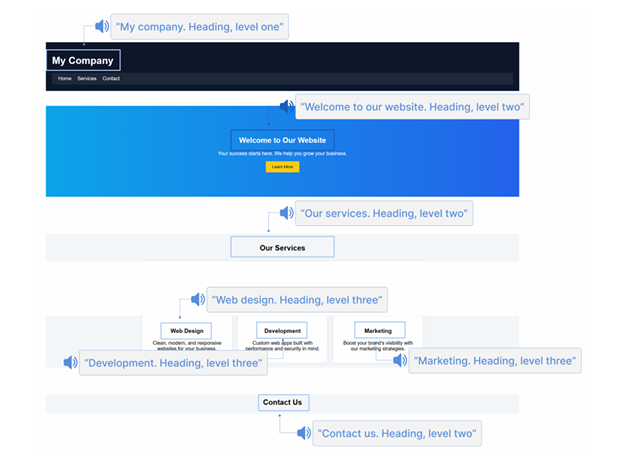
Test: The user again presses (H) to navigate through headings and (D) to move between landmarks. This time, the Narrator successfully detects and announces the correct heading elements along with their levels. For example, it announces:
● “My Company. Heading level one.”
● “Welcome to Our Website. Heading level two.”
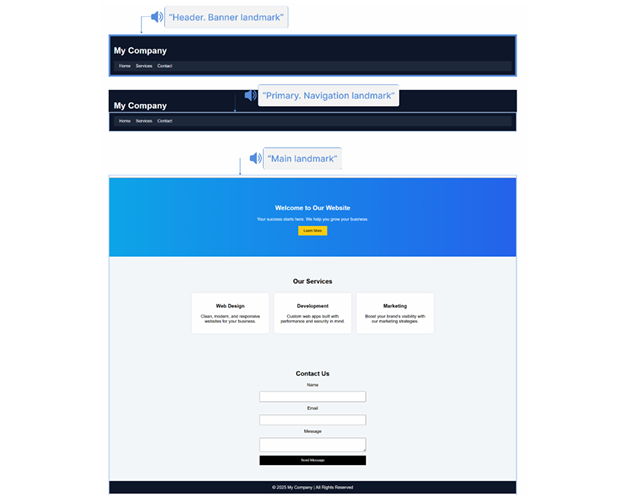
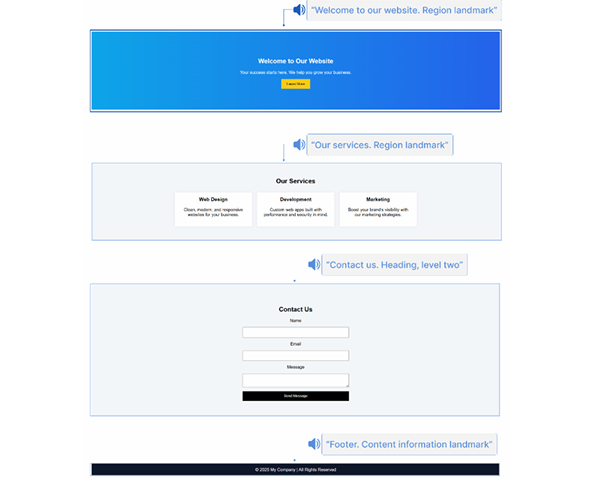
Similarly, the screen reader accurately identifies and announces the landmarks, such as:
● “Header. Banner landmark.”
● “Primary. Navigation landmark.”
● “Main landmark.”
● “Welcome to Our Website. Region landmark.”
This clearly shows how semantic HTML provides meaningful structure that assistive technologies can properly interpret.
Scan and Exploring headings on website:
Using proper HTML heading elements such as <h1>, <h2>, and <h3> enables screen readers to navigate and interpret headings correctly. These tags define both the text and its hierarchical level, making it possible for users to move efficiently through page content.
Scan and Exploring landmarks on website:
Semantic elements such as <header>, <nav>, <main>, and <section> allow screen readers to recognize and navigate key structural regions of a webpage. These elements create identifiable landmarks that assistive technologies can detect and announce accurately, improving overall accessibility and user experience.
Beyond Accessibility: SEO and Developer Benefits
The benefits of semantic HTML extend beyond accessibility. Search engines also rely on semantic tags to understand the content of a web page. By using descriptive tags, you are providing search engines with valuable information about your content, which can lead to better search engine rankings. A well-structured page with semantic HTML is also easier for developers to read, understand, and maintain. This leads to cleaner code and better collaboration
within development teams.

Legal Requirements and the Future of Web Accessibility
In many countries, web accessibility is not just a best practice; it’s a legal requirement. In the UK, for example, public sector websites are required to meet the Web Content Accessibility Guidelines (WCAG) 2.1 AA standard. The private sector is also legally accountable under the Equality Act 2010 to make reasonable adjustments for people with disabilities. Using semantic HTML is a fundamental step towards meeting these accessibility standards and avoiding potential legal issues.
In conclusion, semantic HTML is not just about writing better code; it’s about creating a more inclusive and accessible web for everyone. By taking the time to use descriptive and meaningful tags, developers can make a profound difference in the lives of people with disabilities, improve their website’s SEO, and create a more maintainable and collaborative codebase. It’s a simple change that has a massive impact, making the web a better place for all.


Author name
Mustafeez Ahmed